To help you stay on top of what’s important, Factor has an email notification system that lets you know when there is News for you to see and where to find it.
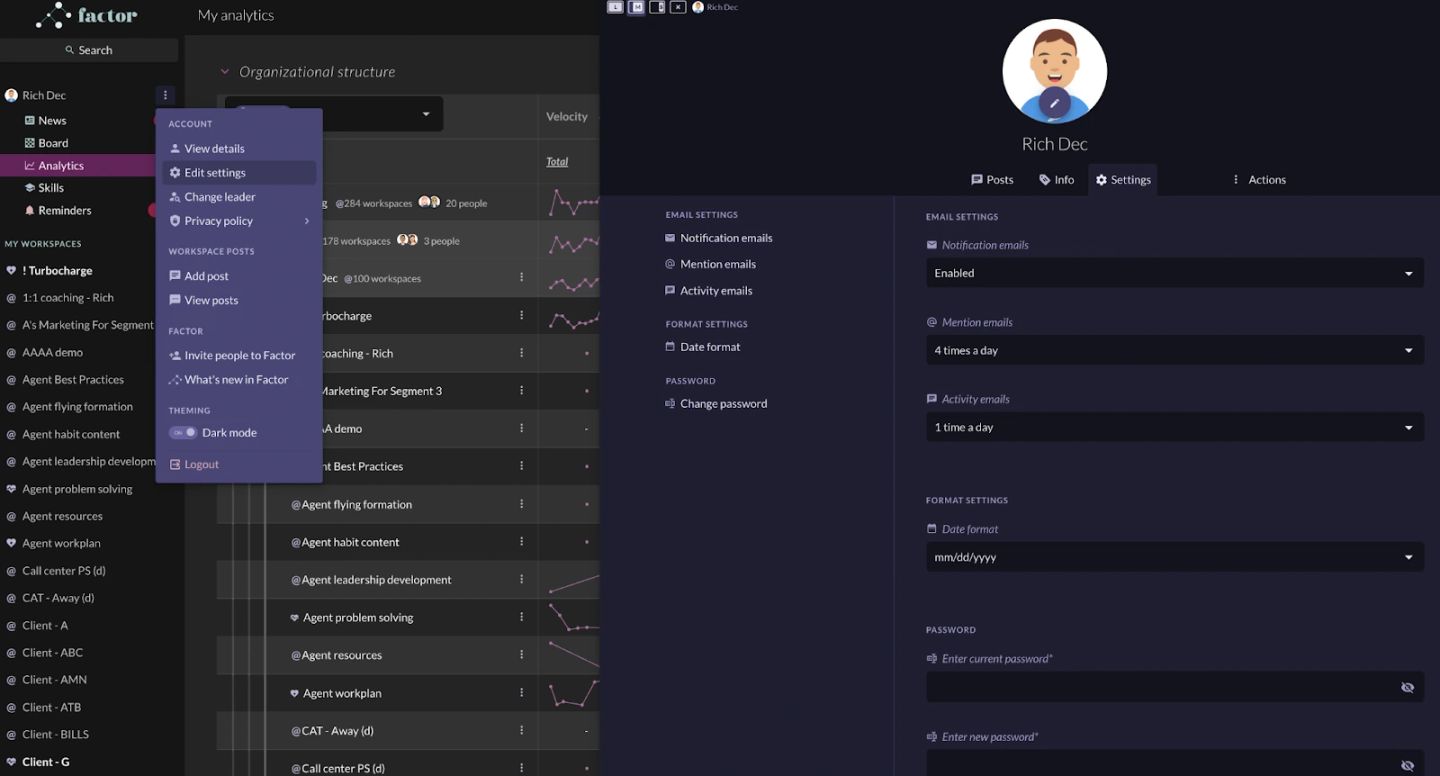
To set up and edit your email notifications:
- Click on the 3-dot menu next your name in the left panel
- Click “Edit settings”
- Use the dropdowns in the Settings tab to set how often you want to receive email notifications for different events.
- A WORD OF ADVICE: We built the News app so that you don’t have to be glued to your notifications all day long. One of the best ways to improve your performance is to tune out noise so that you can focus and get into a state of “deep work”. We recommend setting notifications to once a day. Think of it like a personal newspaper digest that you can check over a cup of coffee.
