If you decide that you no longer want to focus on a skill that you’ve selected, click on the skill’s 3-dot menu, then click “Cancel skill goal”. A dialogue box will pop up asking you to confirm the decision.

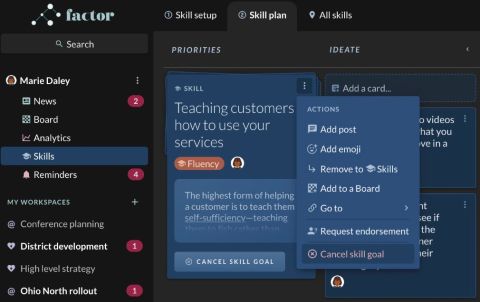
If you decide that you no longer want to focus on a skill that you’ve selected, click on the skill’s 3-dot menu, then click “Cancel skill goal”. A dialogue box will pop up asking you to confirm the decision.
Get in touch
Book a call or send us a message — whichever's easier.