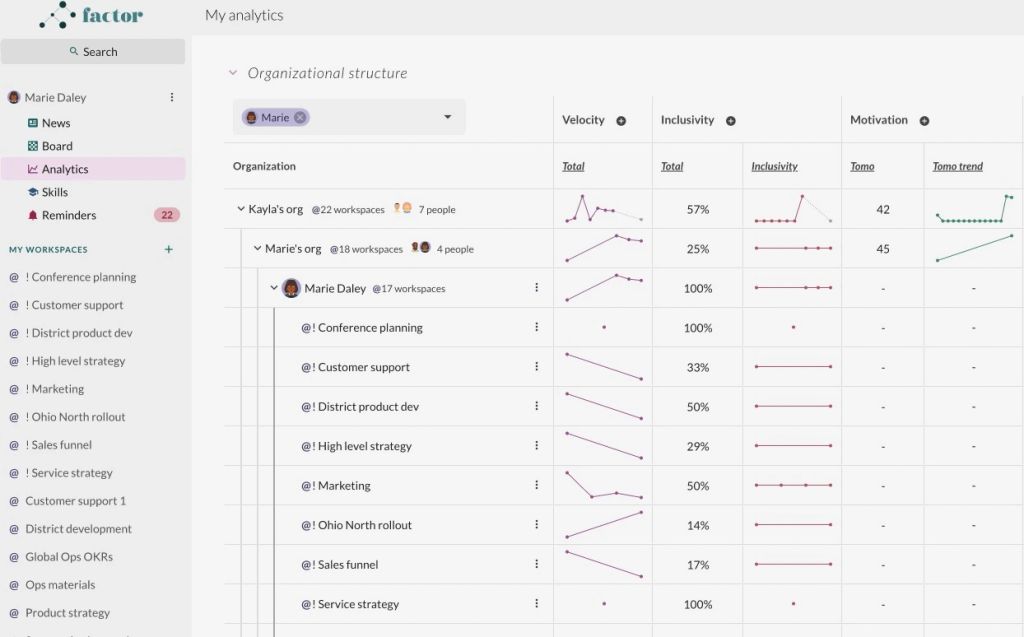
In Analytics, you can view metrics for yourself or any reporting line, team, or individual in the organization.

To access your personal Analytics, click on "Analytics" under your name in the top left of the platform. You will see metrics for the entire organization, but with yourself highlighted.

The top of the Factor left side panel, where the signed-in person's own name — "Marie Daley", with avatar and a 3-dot menu — heads a row of personal apps: "News" (currently selected and highlighted), "Board", "Analytics", "Skills", and "Reminders" carrying a badge of 22. This is the "Analytics" the step means: the one directly beneath your name, above the "MY WORKSPACES" heading and its list of team workspaces, not one nested inside a workspace. Behind the panel the News app's "All News" tab is open on cards dated "Mon, September 4, 2023".