The Skills app helps you learn new skills and build healthy learning habits so that you’re constantly developing skills on the job. It contains a library of over 100 details, motivating skills that cover generalists and specialists, individual contributors and leaders, and quantitative and qualitative disciplines.

How do I get started in the Skills app?

To get started with Skills:

1. Click on your name in the left panel, then click “Skills”.

2. You will see three tabs at the top of the page: Skill setup, Skill plan, and All skills. You can click on each of these to go to the specific section. Start by clicking Skill setup.

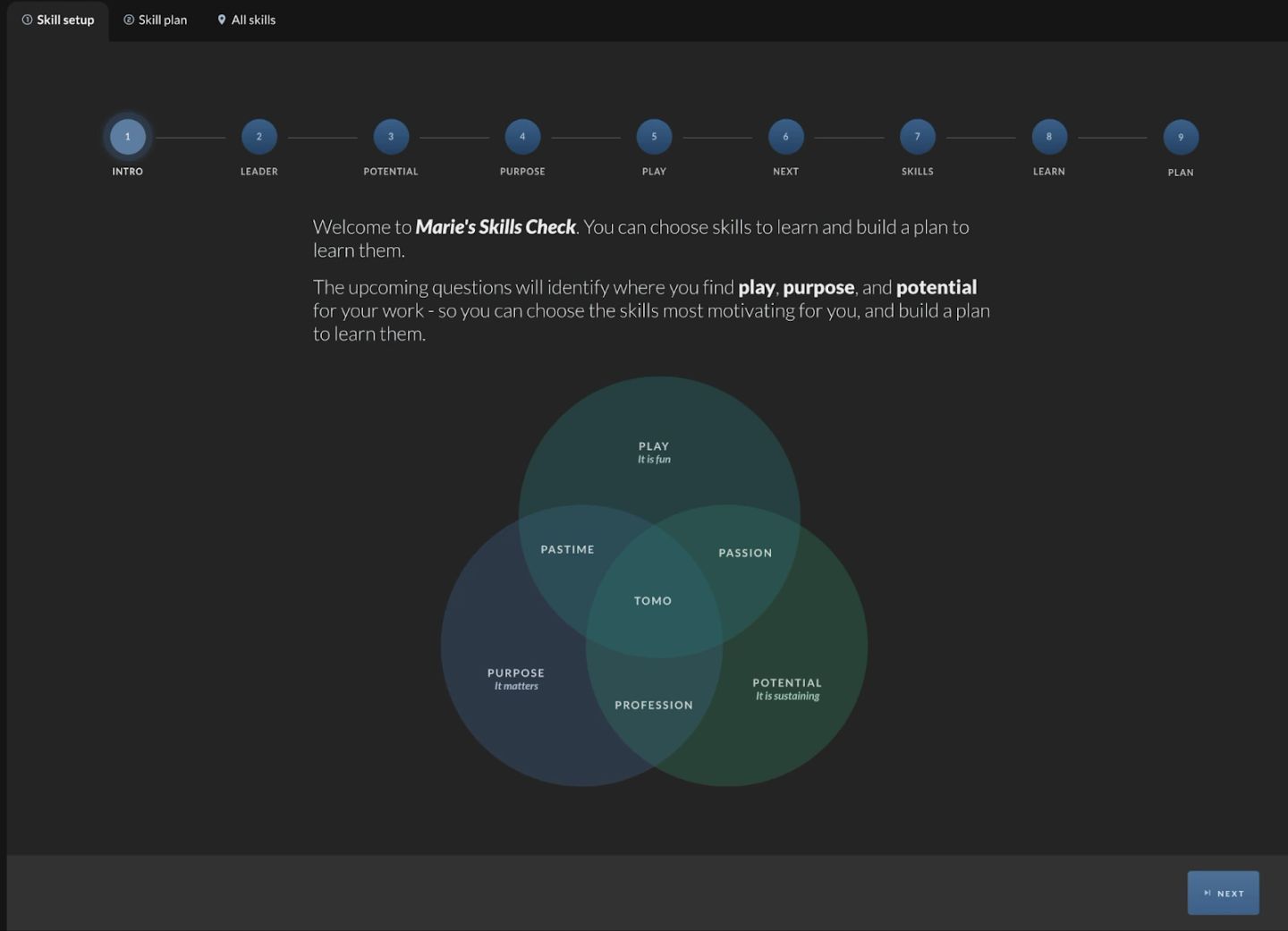
3. You will see a stepper at the top of the screen and a Next button in the lower right. The first step introduces you to the skill selection process.

The first page of the "Skill setup" tab, alongside "Skill plan" and "All skills". A nine-dot stepper runs across the top — INTRO, LEADER, POTENTIAL, PURPOSE, PLAY, NEXT, SKILLS, LEARN, PLAN — with step 1 lit. The copy welcomes you to "Marie's Skills Check" and says the questions ahead will identify where you find play, purpose and potential in your work. Below it sits a three-circle Venn diagram: PLAY "It is fun", PURPOSE "It matters" and POTENTIAL "It is sustaining", with the pairwise overlaps labelled PASTIME, PASSION and PROFESSION and the centre labelled TOMO. A "NEXT" button waits in the lower right.

4. On the second page, you can confirm or edit who your leader is. For this step, you should select the person with whom you typically have development discussions. That is most likely your manager or team leader.

The LEADER step of Skill setup, dark panel. "Please choose Marie's leader:" sits above a reassurance in grey — "If you don't have a leader, that's okay. You can continue without one" — and a dropdown already holding one person chip, "Kayla". Underneath, the screen explains that your leader should join the Skills Check discussion as a coach, and recommends that Marie shares screen and follows the discussion questions on the pages that follow.

5. The rest of the pages help you narrow down which 1-3 skills to focus on right now out of the entire catalog based on your play, purpose, and potential. Remember, Rome wasn’t built in a day. It’s exciting to think about learning everything, but to get anywhere close to that, it’s essential to focus on one piece at a time.

The pay-off page of Skill setup, and the argument of the whole flow: the same three-circle Venn, now carrying counts. PLAY holds "6 of 137 skills", PURPOSE "27 of 137 skills", POTENTIAL "103 of 137 skills", and the TOMO centre where all three overlap holds "3 skills". The heading above says "Congratulations! Through your choices, you narrowed down to 3 possible skills that are at the intersection of your play, purpose, and potential." A catalogue of 137 has been cut to three.

6. After finishing the Skill setup, you will land on the second tab, Skill plan. Here, you will see the skills you’ve selected, which are now your “skill goals”.